GPS Navigation & Map Direction
- 4.0
- Rating
- 10.00M
- Installs
- Free
- Price
 Analysis by App-foxy
I usually judge a navigation app twice: first by how quickly it helps me get somewhere, and later by whether I still want it on my phone after the initial curiosity disappears. GPS Navigation & Map Direction made a useful first impression because it tries to cover more than turn-by-turn driving. Alongside route finding, it brings together a compass, translation tools, and currency conversion in one travel-focused app. That combination gives it a clear place in the Maps & Navigation category, especially for people who want a compact travel toolkit rather than a single-purpose map.
After spending time with it, my opinion is positive but selective. I can see why the app has reached over 10 million installs and holds a 4.2 average from around 68 thousand ratings. It is free to start, available to Everyone, and the current version is 3.8.8. Those facts make it easy to try without much commitment. The harder question is whether it deserves to become my everyday navigation habit. For me, the answer depends on how often I travel, how much I value its extra tools, and whether I already rely on a more established mapping service.
What feels useful during the first week
The first-week appeal comes from the app’s broad approach. When I open a conventional navigation app, I expect maps, directions, traffic information, and perhaps saved places. Here, the surrounding tools change the experience. I can imagine using the route finder before leaving a hotel, checking direction with the compass when walking around an unfamiliar area, translating a short phrase, and converting a price without switching between several unrelated apps.
You May Also Like

 Blood Strike: 2.5 Anniversary
Blood Strike’s Loadouts Turn Every Drop Into a Tactical Gamble
A close look at Blood Strike’s custom loadouts: how fast access to signature weapons reshapes its battle royale rhythm, rewards preparation, and narrows the gap between fights.

 Pandora - Music & Podcasts
Pandora’s Music Is Easy to Start, but Harder to Recover
Pandora’s strength is its low-effort path from a seed to a station. Its weak spot is how much confidence it asks you to place in connection, setup, and quiet recovery.

 8 Ball Pool
 Is Built on Rivalries, Rematches, and Routine
A close look at the rivalries, rematches, shared routines, and unanswered safety questions that turn a quick pool match into a persistent mobile community.

 Samsung Music
’s Quiet Strength Is Playing What You Already Own
Its reach comes less from spectacle than from dependable access to a personal library. That simplicity is both the app’s strongest retention engine and its ceiling.

 AccuWeather: Weather Radar
AccuWeather Review: A Quick, Clear Forecast for Everyday Decisions
For everyday plans, the best forecast is the one you can understand quickly. AccuWeather makes rain timing, radar, and local conditions easy to act on, with a few trade-offs.

 Hill Climb Racing
Why Hill Climb Racing Still Turns Crashes Into One More Run
A tiny car, a bumpy hill and one more upgrade: Hill Climb Racing keeps resurfacing because its simple chaos makes every near-miss feel personal.
More From Our News Desk



That convenience is more important than it sounds. Travel is often made up of small interruptions rather than one dramatic journey. I may need to confirm which way to walk after leaving a station, understand a sign, and work out whether a restaurant bill is reasonable. GPS Navigation & Map Direction is appealing because those tasks sit close together. It does not need to replace every app on my phone to be worthwhile; it only needs to reduce enough switching during a trip.
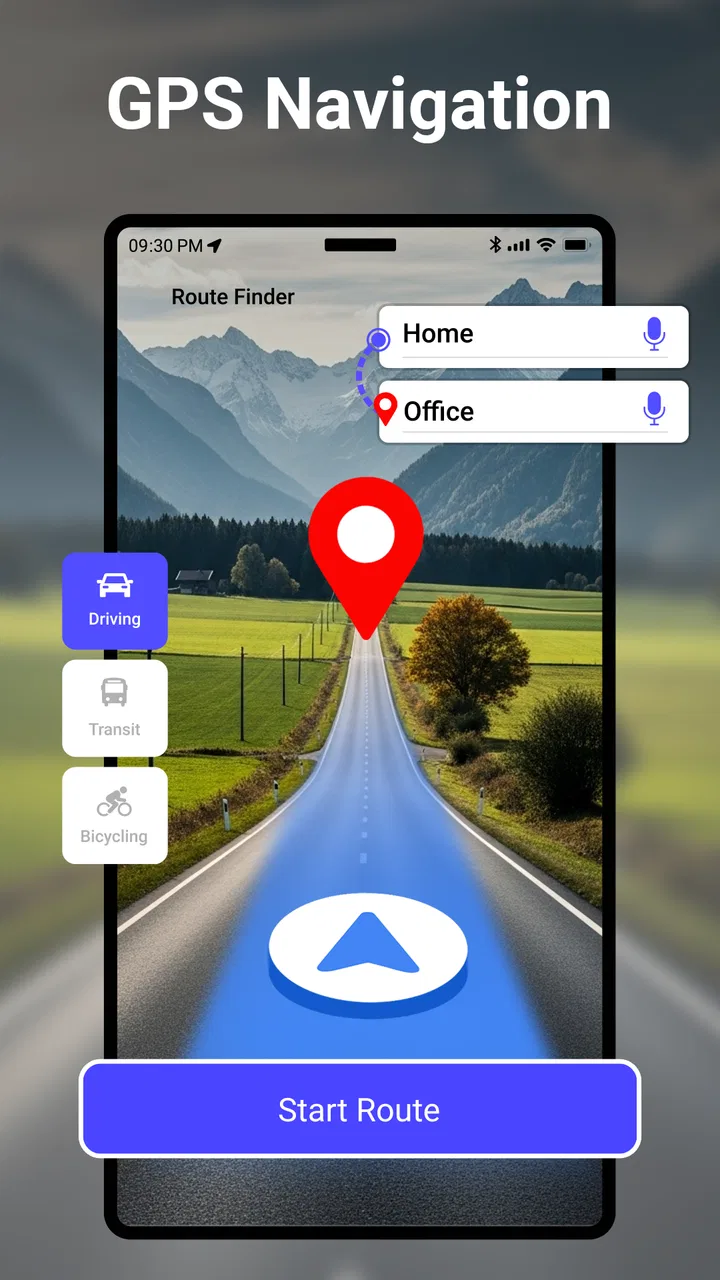
The route-finding side is the main reason to install it, of course. I would use it to plan a destination and get a general sense of the journey before setting off. The best habit is to check the route while I still have time to think, rather than waiting until I am already stressed, late, or standing beside a busy road. That simple preparation also gives me a chance to notice whether the suggested path makes sense for the kind of trip I am taking.
One practical use case is a weekend in a city I do not know. In the morning, I can use the navigation function to reach a museum. After arriving, the compass can help me orient myself when streets look similar. At lunch, the currency converter can make a foreign price easier to understand, while the translator may help with a basic exchange. In the evening, I can plan the return route without carrying a collection of separate travel utilities. The real strength is the workflow between tools, not any one tool in isolation.
Why the all-in-one design is attractive
Sharp Apps Studio has chosen a sensible travel angle. Many people do not need a dedicated compass every day, and they may not want to install a separate currency converter for a short trip. Combining these functions makes the app more useful during occasional travel, even if the user spends most ordinary days using only navigation.
I also appreciate that the app is free to download. That lowers the barrier for someone who wants to test it before a holiday rather than pay in advance for a tool they may use only occasionally. The age rating of Everyone makes it suitable for a broad household audience, including families who want a straightforward travel utility without a narrowly adult focus.
There is a trade-off, though. An all-in-one design can feel less focused than a specialist app. A dedicated mapping service may offer a more refined experience for complex driving, while a standalone translation app may be better for extended conversations. I would not install this expecting every component to outperform the best specialist alternative. I would install it because having several practical functions together can be more convenient than chasing perfection in each one.
Small habits that improve the early experience
My first useful habit would be to treat the app as a planning companion rather than blindly following it. Before starting, I would confirm the destination, look at the general direction, and decide whether I am driving, walking, or simply orienting myself. That matters because navigation advice is only helpful when it matches the real conditions around me.
A second habit is to use the compass as a confirmation tool, not as a substitute for awareness. In a dense city, a quick directional check can prevent me from walking confidently in the wrong direction after leaving a station. I would still look at street names and landmarks. A compass tells me orientation; it does not tell me whether a road is open, safe, or convenient.
For currency conversion, I would enter prices before ordering or paying, then treat the result as an estimate for decision-making rather than a promise about the final bank charge. For translation, I would keep requests short and clear. These are small adjustments, but they prevent the common mistake of expecting a compact utility app to understand every complicated travel situation perfectly.
Does it earn a place after the novelty fades?
The more interesting test begins after the first trip. Novelty is easy when an app contains several tools I have not used together before. Long-term value is different. A navigation app has to become dependable enough that I remember it when I need directions, while its extra functions must appear often enough to justify keeping it installed.
For frequent travelers, the answer may be yes. Someone who regularly crosses borders or visits unfamiliar cities can benefit from having route finding, a compass, translation, and currency conversion close at hand. The app’s value grows when these needs overlap. A person who only drives around a familiar neighborhood may find the additional tools less important, because the main navigation service already covers most daily journeys.
I see the app as particularly suitable for occasional travelers who prefer simplicity over a collection of specialized downloads. It can also suit students, families, and people visiting a new city who want a general-purpose travel aid without building a digital toolkit from scratch. The free entry point makes experimentation easy, while the broad set of functions gives the installation a reasonable chance of surviving beyond one afternoon.
Where repeated use becomes genuinely practical
Month to month, I would return to it for three recurring situations. The first is unfamiliar walking routes. Even when I know the destination, I may need help finding the correct direction after changing transport or leaving a large building. The second is travel preparation, where checking a route and a local price are part of the same planning session. The third is quick orientation when I do not want to open several apps for a simple question.
That does not mean I would use every function equally. The navigation feature is likely to carry most of the long-term value. The compass, translator, and currency converter act more like supporting reasons to keep the app available. This is an important distinction: if the route finder does not suit my regular journeys, the extra tools may not be enough to save the installation. If the route finder is adequate and I travel often, those extras can turn a merely acceptable navigator into a useful travel companion.
The app also benefits from being easy to understand at a glance. Travel situations are rarely ideal for learning complicated interfaces. I want to reach a function quickly when I am carrying luggage, standing in a crowd, or trying to conserve attention. A compact collection of familiar utilities can be more valuable than a larger service filled with options I never use.
How it compares with usual navigation choices
Compared with a conventional map app, GPS Navigation & Map Direction offers breadth rather than a clear promise of being the most advanced solution for every route. A mainstream map service may be the better choice for people who depend heavily on live road conditions, detailed place information, extensive saved locations, or a deeply established daily routine. If my driving depends on precise, current context, I would keep that specialist option available.
Compared with separate travel utilities, this app is more convenient but potentially less focused. A dedicated translation app may be preferable when language is the central problem. A standalone currency tool may be easier for someone who checks exchange values repeatedly. The benefit here is reducing app hopping, not automatically replacing the strongest tool in each category.
For me, the sensible approach is not an either-or decision. I would use GPS Navigation & Map Direction as a compact general-purpose option and keep a familiar specialist map service for journeys where detailed mapping matters most. That arrangement avoids forcing one app to handle every kind of navigation. It also makes the app’s role clearer, which helps it remain useful instead of becoming a cluttered icon I never open.
The maintenance burden is modest, but not invisible
Every navigation app creates a little maintenance work. I need to keep it updated, check that it still behaves as expected before an important trip, and avoid assuming that a route is correct simply because it appears on screen. The current version, 3.8.8, shows that the app continues to receive versioned development, but an update number alone is not a reason to stop checking the app personally before relying on it.
My recommended routine would be simple: open it before traveling, test a familiar short route, and make sure the functions I expect to use are easy to reach. I would do this before an airport transfer or a long drive, not for every casual walk. A few minutes of preparation can reveal interface friction at a safe time instead of during a stressful journey.
There is also the practical burden of managing expectations. Navigation depends on the quality and freshness of the underlying route information, while a compass depends on sensible handling and calibration conditions. Translation can struggle with context, and currency conversion can become outdated as rates move. None of these limitations makes the app useless, but they mean I should use it as an aid to judgment rather than an unquestionable authority.
The in-app purchase range is another consideration. The app is free, but optional purchases run from around eight dollars to around forty-seven dollars per item. I would not spend money immediately. First I would establish whether the free experience solves my actual travel problem and whether I use the extra tools repeatedly. A paid upgrade only makes sense when it removes a recurring irritation or adds lasting value for my particular routine.
What could cause fatigue over time
The biggest source of fatigue is the gap between occasional usefulness and daily necessity. During a trip, the combination of tools feels smart and convenient. Once I return home, the compass, translator, and currency converter may sit unused for weeks. If my regular navigation needs are already covered elsewhere, the app can start to feel like a backup rather than a habit.
Another possible frustration is switching between different kinds of tasks inside one app. Moving from route planning to translation sounds efficient, but it can also make the interface feel busy if I only want a fast direction check. The all-in-one advantage works best when the functions are presented clearly and I remember why I installed the app. It works less well when the extra options slow down the one task I need most.
I would also avoid relying on it as my only navigation source for a complicated journey. For an unfamiliar drive, a remote area, or a trip where a wrong turn has serious consequences, I prefer redundancy: planning ahead, noting the destination, and keeping another trusted option available. That is not a criticism unique to this app; it is good navigation practice. Still, the compact design may tempt some users to treat it as a complete replacement for every map service, and I do not think that is the wisest use.
People who should skip it are those seeking a highly specialized navigation platform above all else. If I want the deepest mapping ecosystem, extensive location discovery, or a service built around one polished navigation workflow, I would choose a dedicated alternative. I would also skip it if I never travel and have no interest in the supporting utilities. In that case, the extra breadth is more clutter than benefit.
My long-term verdict
After the first-week excitement fades, GPS Navigation & Map Direction still has a defensible place, but not for everyone. I would keep it installed if I traveled regularly, moved through unfamiliar cities, or valued having a compass, translator, and currency converter beside route finding. The app’s strongest idea is practical rather than flashy: several small travel needs can be handled from one familiar location.
I would not make it my unquestioned primary navigator for every journey. A specialist map service remains the better choice when I need the most detailed route context or already have a well-established navigation habit. This app earns its space by filling the gaps around navigation, not by making every alternative irrelevant.
Sharp Apps Studio has created a free, accessible travel app with enough range to remain useful beyond its first launch. Its 4.2 average and broad install base suggest that many users find the approach worthwhile, but my recommendation is still based on fit rather than popularity. Try it before a real trip, use the route finder alongside the supporting tools, and judge whether those tools become part of your routine.
My final view is straightforward: GPS Navigation & Map Direction is worth keeping when convenience across several travel tasks matters more than specialist depth. It is a sensible companion for occasional travelers and a useful backup for everyday navigation. If your needs are narrow, choose the focused alternative that serves them best. If your needs change from directions to orientation, language, and prices throughout the same journey, this app has a much better chance of earning lasting space on your phone.
FAQs for GPS Navigation & Map Direction
01What features does the GPS Navigation & Map Direction app offer?
The GPS Navigation & Map Direction app provides real-time navigation, traffic updates, and route planning. It includes voice-guided directions, offline maps, and points of interest. The app also offers lane guidance, speed limit alerts, and options for different modes of transport, ensuring a comprehensive navigation experience.
02Is the app available for offline use?
Yes, the GPS Navigation & Map Direction app supports offline use. Users can download maps for specific regions to access navigation and direction services without an internet connection. This feature is particularly useful for traveling in areas with limited network coverage or to save on data usage.
03How accurate is the real-time traffic information?
The app provides highly accurate real-time traffic information by integrating data from various sources, such as road sensors and user reports. This feature helps users avoid delays by suggesting alternative routes, thereby ensuring timely arrivals. However, sudden or unreported incidents may occasionally affect accuracy.
04Does the app have customization options for the user interface?
Yes, the GPS Navigation & Map Direction app allows users to customize their interface. Users can choose between different map views, such as 2D, 3D, or satellite. Additionally, users can adjust the color scheme and font size to suit their preferences, providing a personalized navigation experience.
05Are there any in-app purchases or subscriptions required?
The app is free to download and offers basic navigation features at no cost. However, it includes optional in-app purchases and subscriptions for advanced features such as ad-free experience, premium map updates, and additional voice packs. These purchases can enhance the overall functionality of the app.
Pros
- User-friendly interface for easy navigation.
- Accurate real-time traffic updates.
- Offline maps for data-free navigation.
- Customizable route options.
- Voice-guided turn-by-turn directions.
Cons
- Consumes significant battery power.
- Occasional map loading delays.
- Requires regular updates for accuracy.
- Limited features in free version.
- Ads can be intrusive during use.

GPS Navigation & Map Direction
Gallery